
Broker Resources · EV Häs
Your expertise.
Your name.
Made to share.
A resource hub for your next client conversation. Create a personalized booklet or flyer, explore practical guides and connect with legal support.
Your logo. Your photographs. Your perspective.
Browser-based tools from EV Häs, LLC Attorney at Law.
The personalization studios
Choose your format.
Make it yours.
Add your logo, photographs, contact details and voice. Start with the format that fits the conversation.
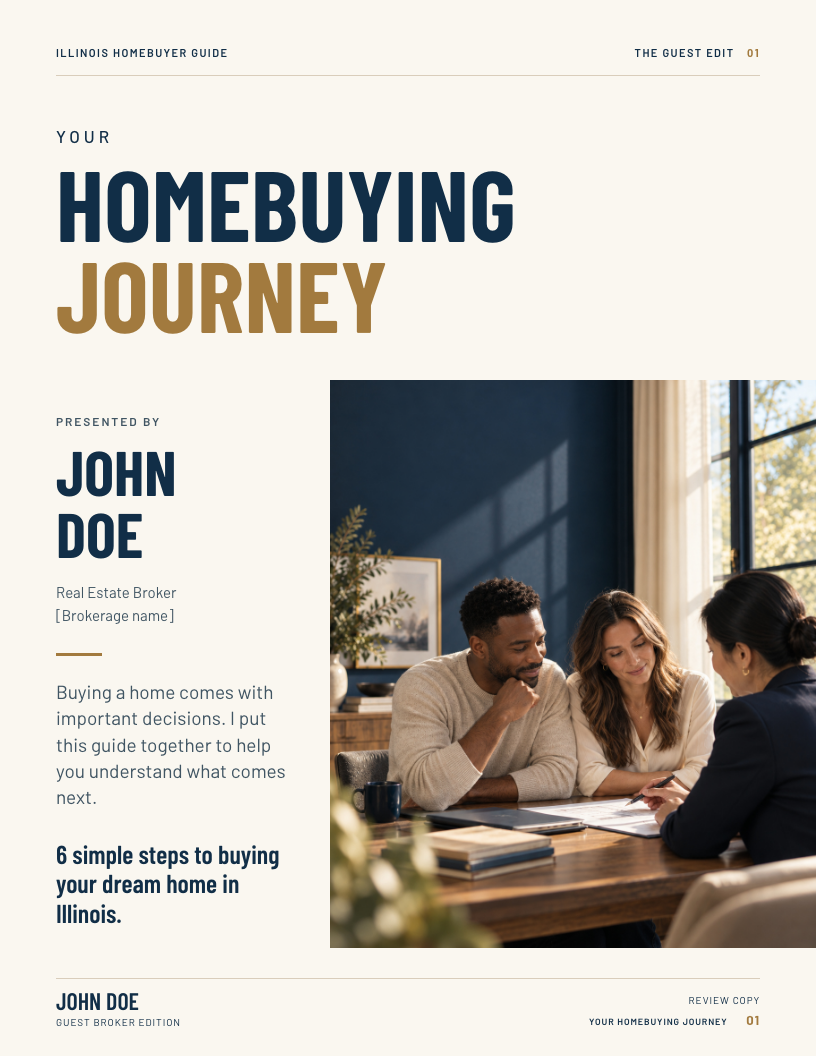
Your Homebuying Journey
A six-step introduction to buying a home. Give clients a guide with your name, your brand, your perspective and your own contact QR.
For buyer consultations and a useful take-home guide.
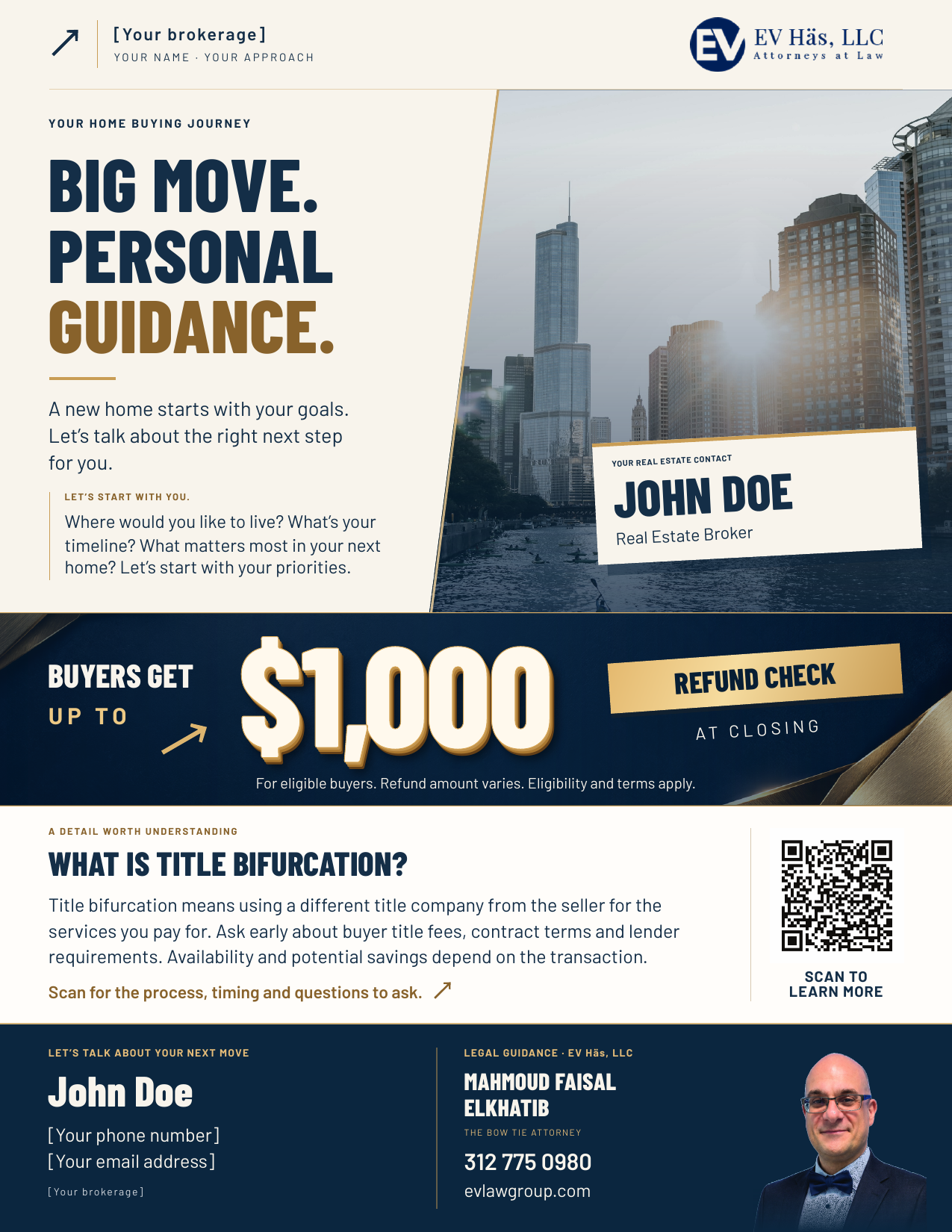
Your next move,
on one page.
Introduce your approach with a personalized headline, portrait and logo, alongside EV Häs legal contacts and the qualified buyer benefit.
For a concise introduction, a printed handout or a PDF to share.
Sample broker shown · No account or installation required · Desktop recommended · Review before distribution
Add your identity, logo, contacts and images. In the booklet, the closing invitation appears on page 4.
Personalize broker wording page by page. EV Häs identity, contacts and the complete conditional buyer-benefit terms remain protected.
Personalize
Choose a studio and replace the fictional sample broker. Add your logo and photos you have permission to use.
Review
Check every page, contact details, advertising requirements and the complete benefit terms before distribution.
Save & export
Save your editable project before closing. Print to PDF with backgrounds on and browser headers and footers off.
The reading room
For the questions
that come next.
Use these EV Häs guides to support an informed conversation. Specific contracts and legal questions belong with an attorney.
When the contract is signed
Attorney review
Explore the contract review stage, the issues to raise and the details that deserve early attention.
Before the closing table
What happens at closing
Help buyers prepare for the final documents, numbers, coordination and handoff.
A conversation to have early
Understanding title choices
Learn what bifurcated title means and why timing, contract terms and lender requirements matter.
Supporting your client
Be your client’s advocate
A starting point for thinking about buyer representation and the role of a coordinated real estate team.
Keep the conversation going.
A practical conversation starter
Before you send
the next guide.
Make the resource relevant to the person reading it. Start with their questions, not just the paperwork.
- 01 What part of the buying process feels least clear?
- 02 Which documents or dates do we need to discuss with your attorney?
- 03 What would help you feel more prepared for the next step?
Good to know
Your resources.
Clear boundaries.
A flexible tool with a clear distinction between your personal message and EV Häs information.
What can I personalize?
Add your broker name, logo, contact information, images and message. Light keeps the process simple. Full adds editable text page by page. The EV Häs logo, contact details and qualified buyer-benefit section are not editable through these controls.
Are my photos saved on the website?
The editor processes your chosen photos and text in your browser. It does not send your personalized project to EV Häs. Save a local project file before closing. Your project contains your edits and images, so store and share it carefully. This resource website has its own site privacy practices.
How do I get a PDF?
Open the online editor in a desktop browser and use its PDF or print control. Select Save as PDF, enable background graphics and turn off browser headers and footers. Check all five booklet pages or the single flyer page before saving. Keep your editable project as a separate file.
Is my personalized resource ready to publish automatically?
No. It is a review template. Replace the fictional broker, confirm image permissions and have your wording and required disclosures reviewed before sharing. Editing a template does not create legal approval or an attorney-client relationship.
How should I describe the buyer benefit?
Keep the complete qualified terms in your resource. The benefit is up to $1,000, not a guaranteed payment for every buyer. Eligibility, amount and applicable conditions need to be confirmed with EV Häs for the transaction.
Can I request a resource for a different topic?
Yes. Contact EV Häs with the topic, intended audience and the question you want the material to help explain. Please do not send confidential client documents through a general resource request.
Your next conversation
You bring the relationship.
Let’s talk about the legal side.
Have a transaction question or an idea for a client resource? Connect with the EV Häs team.
EV Häs, LLC Attorney at Law
For a specific matter, ask how to share documents securely.
Educational resources, not legal advice. Templates require review before distribution. No attorney-client relationship is created by downloading or using a resource. Prior results do not guarantee a similar outcome.